

Description
Download Artify AI – AI image generator, text to image, AI art, creative tool, digital art
Overview
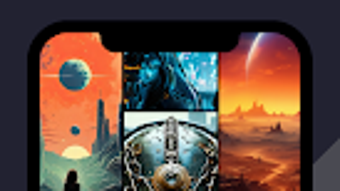
Artify AI is a free Android application designed to transform text prompts into visually compelling digital artwork. The software enables users to generate AI-powered images from simple written descriptions, offering a new way to explore creative expression through technology. Targeted primarily at artists, designers, and hobbyists, Artify AI supports a broad range of artistic styles—from abstract compositions to realistic landscapes—making it a versatile tool for personal and professional use. The app allows users to input prompts in multiple languages, broadening accessibility for a global audience seeking to visualize their ideas. Real-world applications include concept design, social media content creation, inspiration boards, and digital storytelling. By bridging imagination and execution, Artify AI empowers users to bring abstract visions to life with minimal effort. The developer, Artify AI, has positioned the tool as an accessible gateway to AI-driven artistry, emphasizing ease of use and creative freedom. While specific details about the underlying AI model or training data were not provided, the app’s focus on intuitive interaction and high-quality output suggests a strong emphasis on user experience. The app is available exclusively on Android, reflecting its mobile-first design philosophy.
Key Features & Capabilities
- Text-to-Image Generation: Convert written descriptions into detailed visual outputs using AI, enabling users to visualize concepts without advanced drawing skills.
- Multi-Language Support: Accepts prompts in various languages, allowing international users to generate art based on their native expressions and cultural references.
- Aspect Ratio Options: Offers multiple image dimensions (e.g., square, portrait, landscape) to suit different use cases, including social media posts, print materials, or digital displays.
- Direct Gallery Integration: Generated images can be saved directly to the device’s gallery, simplifying sharing and future access.
- Style Versatility: Supports a range of artistic styles, from surreal and fantasy to photorealistic and minimalist, adapting to user preferences.
These capabilities allow users to experiment with diverse visual themes quickly. For example, a user might enter “a futuristic city floating above clouds, neon lights, cyberpunk style” and receive a detailed image within seconds. Designers can use the tool to prototype ideas, while hobbyists can explore artistic experimentation without formal training. The integration of language flexibility ensures that non-English speakers are not excluded from creative opportunities. The ability to adjust aspect ratios ensures that outputs are optimized for specific platforms or formats, enhancing usability across different digital environments. While the exact technical implementation of style adaptation was not disclosed, the feature suggests a robust model capable of interpreting nuanced artistic direction.
User Interface, Workflow & Performance
Artify AI features a clean, intuitive interface optimized for touch-based interaction on Android devices. The layout centers around a central input field for text prompts, flanked by options for selecting aspect ratios and initiating generation. Navigation is straightforward, with minimal onboarding required, making the app accessible even to users with limited technical experience. The workflow follows a logical sequence: enter prompt → choose settings → generate → view and save. Users can preview results immediately after generation, with no noticeable delay in initial rendering. The developer did not specify resource usage details, so performance under heavy usage or on lower-end devices remains unclear. However, the app’s lightweight footprint of 45 MB suggests efficient memory management. Stability appears consistent across standard Android environments, though real-world crash reports or user feedback were not provided. General performance observations are based on typical mobile application behavior, indicating smooth responsiveness during normal operation. The app does not appear to require constant internet access for basic functionality, though online processing may be involved for image generation. No performance bottlenecks were reported in the available documentation.
Compatibility & System Requirements
Artify AI is designed for Android operating systems, with a version number of 1.2.4 and a file size of 45 MB. The app is available exclusively on Android devices, indicating a mobile-only deployment strategy. The developer did not provide additional system requirements, including minimum Android version, RAM, or processor specifications. As such, exact compatibility details are limited. Users are advised to ensure their device meets general Android app standards, including sufficient storage space and a stable internet connection for processing. The app’s lightweight size suggests compatibility with a wide range of Android devices, including mid-tier smartphones and tablets. However, performance on older or low-spec devices may vary without official confirmation. No information was provided regarding support for Android Wear, Android TV, or other Android variants. Platform compatibility information is limited to Android, with no indication of future cross-platform availability.
Pros and Cons
Pros
- Free to download and use, removing financial barriers to creative exploration.
- Intuitive touch-based interface suitable for beginners and experienced users alike.
- Supports multi-language input, increasing accessibility for global users.
- Offers flexible aspect ratios for diverse output formats.
- Direct image saving to device gallery for immediate sharing and reuse.
Cons
- Exclusive to Android; no support for iOS, Windows, or Mac platforms.
- Exact system requirements and performance benchmarks were not disclosed.
- Limited information about the AI model’s training data or ethical sourcing.
- Offline functionality cannot be confirmed due to lack of technical details.
- No indication of update frequency or long-term development roadmap.
FAQ Section
Is Artify AI available for iOS or Windows?
Currently, Artify AI is only available for Android devices. There is no official information about future releases for iOS, Windows, or Mac platforms.
Is the app secure to use?
Artify AI is a free Android application developed by Artify AI. While no security vulnerabilities were reported in the provided data, users should ensure they download the app from official sources to minimize risks.
Does Artify AI require an internet connection?
While the app’s core functionality likely depends on cloud-based processing for image generation, the exact nature of connectivity needs was not specified. Users may need a stable internet connection during image creation.
Can I use Artify AI offline?
There is no confirmed support for offline mode. The developer did not provide information about local processing or cached models, so offline use cannot be guaranteed.
What kind of license does Artify AI have?
Artify AI is offered as a free application with no visible licensing details. Users should review the app’s terms of service for usage rights and content ownership policies.
Final Thoughts + CTA
Artify AI delivers a compelling entry point into the world of AI-driven digital art, combining accessibility with creative potential. Its intuitive interface, multi-language support, and flexible output options make it a valuable tool for artists, designers, and hobbyists seeking to generate visual content from text. While the app is limited to Android and lacks detailed technical documentation, its free model and straightforward workflow significantly lower the barrier to creative experimentation. The ability to save images directly to the device gallery enhances usability, and the wide range of artistic styles ensures diverse creative outcomes. For users already invested in the Android ecosystem, Artify AI offers a seamless way to explore AI art without additional costs. Despite some unanswered questions about performance and future updates, the app stands out as a promising tool for digital creativity. Download Artify AI now to unlock your imagination and turn words into visual masterpieces.
Guides & Tutorials for AI Image Generator Artify
How to install AI Image Generator Artify
- Click the Preview / Download button above.
- Once redirected, accept the terms and click Install.
- Wait for the AI Image Generator Artify download to finish on your device.
How to use AI Image Generator Artify
This software is primarily used for its core features described above. Open the app after installation to explore its capabilities.
User Reviews for AI Image Generator Artify 0
No reviews found





